Have you ever wondered why some Pinterest pins instantly grab attention while others disappear into the scroll?
The difference often comes down to two powerful elements: the words you use and the images you choose. Pinterest is a highly visual platform where users make split-second decisions about what to click, save, or ignore. That means your pin needs to communicate value immediately while also standing out visually in a crowded feed. The right power words can spark curiosity, emotion, and urgency, while scroll-stopping images create a strong first impression that draws users in. Whether you’re promoting blog content, digital products, or affiliate links, mastering this combination is essential for driving traffic.
In this guide, you’ll discover 30 powerful word and image ideas you can use to create Pinterest pins that not only look beautiful but also get clicks, saves, and consistent traffic.

Why Clickable Pinterest Pins Matter for Traffic Growth
Clickable Pinterest pins are one of the most powerful drivers of long-term traffic for bloggers, Etsy sellers, and digital product creators. Unlike other platforms where content disappears quickly, Pinterest pins can continue generating clicks for months—or even years—after they’re published. Each pin acts like a mini search result, helping users discover your content when they’re actively looking for ideas or solutions.
When your pins are designed to be clickable, you’re not just increasing engagement—you’re building a sustainable traffic system. A strong pin can lead users directly to your blog, product listing, or email opt-in, helping you grow your audience and income over time. Without clickable pins, even the best content can go unnoticed, making this one of the most important skills to master for Pinterest success.
Why Clickable Pinterest Pins Matter for Traffic Growth
High-performing Pinterest pins are rooted in simple psychology: people click when they feel something and understand the value instantly. There are three key triggers that drive clicks—curiosity, emotion, and clarity.
Curiosity makes users want to learn more. Words like “secrets,” “hidden,” or “you won’t believe” encourage clicks because they create an information gap.
Emotion helps users connect with your content. Words like “cozy,” “dreamy,” or “effortless” tap into how people want to feel or live.
Clarity ensures users know exactly what they’ll get. If your message is confusing or vague, users will scroll past.
When you combine these triggers with strong visuals, you create a powerful first impression that increases both clicks and saves—two key signals Pinterest uses to distribute your content further.
1. “Secrets” + Flat Lay Workspace Image
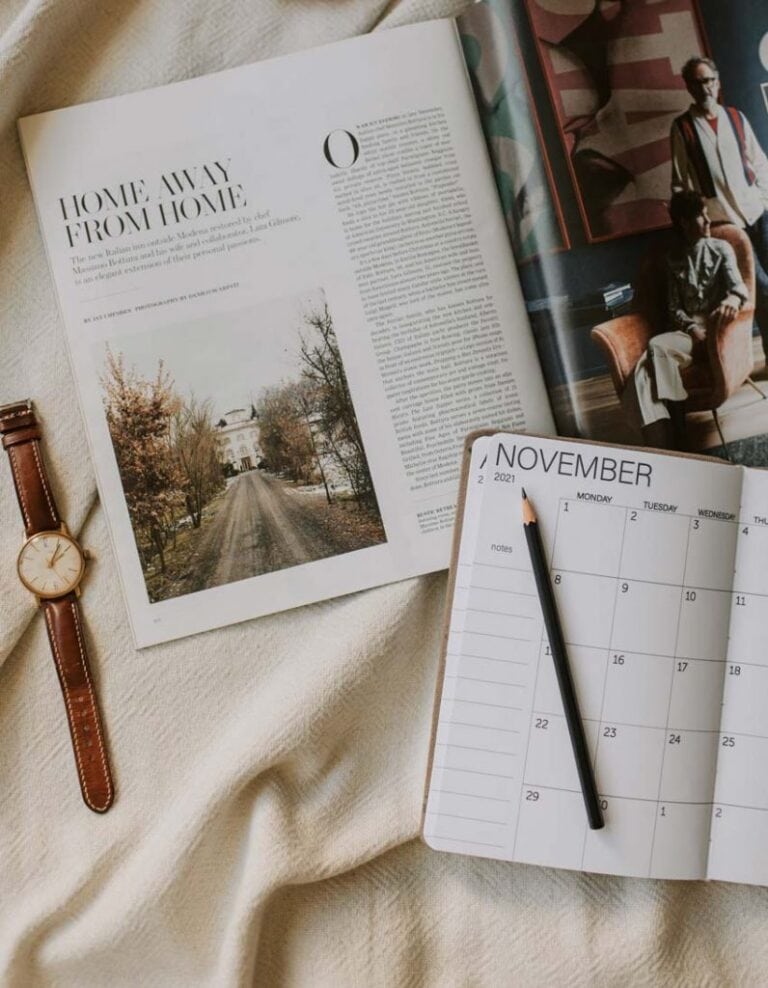
Use the word “Secrets” to spark curiosity paired with a clean desk flat lay featuring tools or products.
2. “Hacks” + Before-and-After Image
Highlight transformation with side-by-side visuals to instantly show value.
3. “Proven” + Minimalist Lifestyle Scene
Build trust with calm, clean images that feel credible and achievable.
4. “Easy” + Step-by-Step Visual Layout
Show multiple steps in one image to reinforce simplicity.
5. “Quick” + Bright Kitchen or Workspace Shot
Use energetic, well-lit images to match the fast-result promise.
6. “Cozy” + Warm Home Setting
Soft lighting, blankets, tea, or candles create an emotional connection.
7. “Dreamy” + Light, Airy Aesthetic Scene
Use pastel tones and natural light for aspirational content.
8. “Budget” + Organized Flat Lay with Labels
Show neat, labeled items to emphasize savings and planning.
9. “Luxury” + Elegant Styled Scene
Use high-end textures like marble, gold accents, or silk fabrics.
10. “DIY” + Hands-On Crafting Image
Show hands actively creating to inspire action.
11. “Must-Have” + Product Collection Layout
Display multiple items in a clean, organized grid.
12. “Checklist” + Printable or Notepad Style Image
Include visual checkmarks or lists to signal usefulness.
13. “Guide” + Clean Infographic Style Image
Use structured layouts with sections for clarity.
14. “Ideas” + Collage of Multiple Scenes
Combine several visuals to show variety.
15. “Tips” + Close-Up Detail Shot
Focus on small details to create interest.
16. “Mistakes” + Crossed-Out Visual Elements
Use X marks or contrast visuals to highlight errors.
17. “Beginner” + Simple, Minimal Setup Image
Keep visuals clean and non-intimidating.
18. “Ultimate” + Bold, High-Contrast Design
Use strong fonts and striking visuals for authority.
19. “Trending” + Modern, Aesthetic Scene
Incorporate current styles like neutral tones or soft textures.
20. “Free” + Download or Printable Mockup
Show a digital product on a tablet or printed page.
21. “Step-by-Step” + Numbered Visual Layout
Include clear numbered sections in the image.
22. “Transform” + Before-and-After Scene
Highlight dramatic change to attract attention.
23. “Simple” + Clean White Background Image
Minimal visuals reinforce ease.
24. “Organize” + Neatly Arranged Storage Scene
Show satisfying, tidy layouts.
25. “Boost” + Growth or Upward Arrow Visual
Use subtle graphic elements to show improvement.
26. “Save” + Budget or Money-Themed Image
Include planners, jars, or financial visuals.
27. “Perfect” + Styled Lifestyle Scene
Create an aspirational moment users want to recreate.
28. “Creative” + Artistic Workspace Image
Include paints, notebooks, or design tools.
29. “Fast” + Motion or Action-Based Image
Use dynamic visuals to suggest speed.
30. “Best” + Highlighted Top Picks Layout
Feature standout items with emphasis or framing.
Final Income Move:
Creating clickable Pinterest pins doesn’t have to feel overwhelming once you understand the formula.
By combining powerful, attention-grabbing words with visually compelling images, you can dramatically increase your chances of getting clicks, saves, and consistent traffic. The key is to always think about what your audience is searching for and how you can present your content in the most appealing and clear way possible. Test different combinations of words and visuals to see what resonates best with your niche, and don’t be afraid to refine your designs over time. Pinterest success comes from consistency, creativity, and strategy working together.
If you’re ready to take your Pinterest game to the next level, start implementing these 30 ideas today and watch your engagement grow. And if you want done-for-you templates to speed up the process, explore our resources designed to help you create high-converting pins effortlessly.
FAQ Section
What are power words for Pinterest pins?
Power words are attention-grabbing words that trigger emotion, curiosity, or urgency, encouraging users to click on your pin.
How many words should be on a Pinterest pin?
Keep text minimal—ideally 3 to 10 words—so it’s easy to read quickly on mobile devices.
What type of images perform best on Pinterest?
Bright, high-quality lifestyle images and clean, well-composed flat lays tend to perform best.
Do Pinterest pins need text overlay?
Yes, text overlay helps users quickly understand what your content is about and increases click-through rates.
How often should I create new pins?
Consistency matters more than volume. Aim to create fresh pins regularly, such as a few per week.
Can I reuse the same image for multiple pins?
Yes, but it’s best to change the text, layout, or colors to create fresh variations.
What size should Pinterest pins be?
A 2:3 ratio (1000 x 1500 pixels) is recommended for optimal performance.
Why aren’t my Pinterest pins getting clicks?
Common reasons include unclear messaging, low-quality images, lack of strong keywords, or not targeting the right audience.
Never say “I just need a little extra income” again.
Click To Find out more….