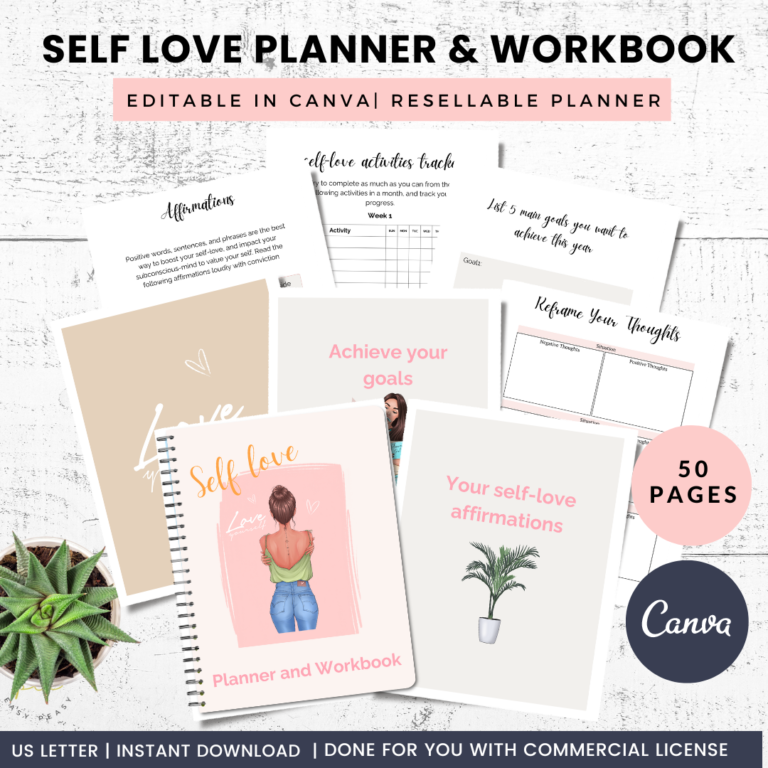
Have you ever wondered how people make money selling simple digital templates online?
Notion templates are one of the most beginner-friendly digital products you can create because they do not require inventory, shipping, or complicated tech skills. With the right idea, a helpful layout, and a clear audience, you can turn a single Notion template into a passive income product that sells again and again.
Notion has become popular with students, business owners, bloggers, freelancers, moms, creators, and productivity lovers who want an easier way to organize their lives. Instead of building systems from scratch, many people are willing to pay for ready-made templates that save time and reduce stress. That is where your opportunity comes in. In this guide, you will learn how to create and sell Notion templates for passive income, choose profitable template ideas, package your product, market it, and build a digital product business around simple organization tools.

Don’t launch your online business without a plan! Download this FREE Online Business Launchpad Checklist today and avoid missing the essential steps that can save you time, money, and frustration.
What Is a Notion Template?
A Notion template is a pre-made workspace that someone can duplicate into their own Notion account. It can include pages, tables, calendars, trackers, checklists, dashboards, databases, and planning systems.
Instead of starting with a blank page, buyers get an organized system ready to customize.
Popular Notion templates include:
- Student planners
- Content calendars
- Budget trackers
- Business dashboards
- Habit trackers
- Meal planners
- Goal planners
- Project management systems
- Freelancer client portals
- Wedding planners
- Reading journals
- Travel planners
- Blogging planners
- Digital product launch planners
The best templates solve a specific problem. A general “life planner” may sell, but a “Notion Content Planner for Etsy Sellers” or “Notion Study Dashboard for Nursing Students” is much more targeted.
Why Notion Templates Are Great for Passive Income
Notion templates are digital products, which means you create them once and sell them repeatedly.
There is no physical inventory to manage. No packaging. No shipping. No restocking. Once your template is finished, you can list it on Etsy, Gumroad, Payhip, Shopify, Creative Market, or your own website.
Notion templates are also appealing because they are flexible. You can start small with one simple product, then grow into bundles, template shops, memberships, or niche product collections.
For example, one creator could start with a Notion habit tracker and later add a wellness dashboard, meal planner, workout tracker, self-care journal, and yearly goal planner. Those products can then be sold individually or bundled together for a higher price.
Step 1: Choose a Profitable Notion Template Niche
The first step is choosing who your template is for.
This is where many beginners go wrong. They create something they personally like, but they do not think about whether people are searching for it or willing to buy it.
Start by choosing a specific audience.
Profitable Notion template niches include:
- Students
- College students
- Teachers
- Bloggers
- Etsy sellers
- Small business owners
- Freelancers
- Virtual assistants
- Moms
- Wellness creators
- Content creators
- YouTubers
- Coaches
- Authors
- Travel planners
- Budget-conscious families
- Wedding planners
- Real estate agents
- Fitness enthusiasts
Once you choose your audience, identify a problem they need solved.
For example:
- Students need help tracking assignments.
- Bloggers need help planning content.
- Etsy sellers need help organizing listings.
- Freelancers need help managing clients.
- Moms need help planning meals and family schedules.
- Coaches need help tracking clients and programs.
The more specific the problem, the easier your product is to market.
Step 2: Research What People Are Already Buying
Before creating your Notion template, spend time researching.
Look at Etsy, Pinterest, Google, TikTok, and YouTube. Type in phrases like:
- Notion planner
- Notion template for students
- Notion content planner
- Notion budget tracker
- Notion business dashboard
- Notion meal planner
- Notion habit tracker
Pay attention to the products that appear repeatedly. Notice their titles, features, pricing, mockups, and customer reviews.
Do not copy anyone’s product. Instead, look for gaps.
Ask yourself:
- What are buyers praising?
- What are buyers complaining about?
- What features are missing?
- Could this be simpler?
- Could this be prettier?
- Could this serve a more specific audience?
- Could this be bundled with another template?
Research helps you create a product people already want, while still adding your own unique angle.
Step 3: Plan Your Template Before Building
Before opening Notion, outline your product.
A clear plan will save you time and help you avoid creating a confusing template.
Decide:
- Who is this for?
- What problem does it solve?
- What pages will it include?
- What databases will it need?
- What result should the buyer get?
- How simple should it be?
- Will it be beginner-friendly?
For example, a Notion template for bloggers might include:
- Blog post idea bank
- Keyword research tracker
- Content calendar
- Affiliate link tracker
- SEO checklist
- Published post tracker
- Pinterest pin planner
- Email newsletter planner
- Monthly analytics dashboard
A template for students might include:
- Class schedule
- Assignment tracker
- Exam planner
- Study timetable
- Reading list
- Grade tracker
- Goal planner
- Habit tracker
Keep the buyer’s experience in mind. A beautiful template is nice, but a useful template sells better.
Step 4: Build the Template in Notion
Now it is time to create your template.
Start with a clean, simple structure. Use clear headings, organized sections, and easy navigation. Notion can become overwhelming quickly, so beginner-friendly templates often perform well.
Helpful features to include:
- Dashboard homepage
- Quick navigation links
- Calendar views
- Table views
- Gallery views
- Checklists
- Progress trackers
- Linked databases
- Instructions page
- Customization tips
- Example entries
Avoid making the template too complicated. Buyers want something that feels helpful, not intimidating.
Use icons, dividers, callout boxes, and simple formatting to make the template attractive. Keep the design clean and functional.
If you are creating a premium template, add extra value with bonus pages, video instructions, or a quick-start guide.
Step 5: Test the Buyer Experience
Before selling your template, test it as if you were the customer.
Ask yourself:
- Can the buyer duplicate it easily?
- Are the instructions clear?
- Are all links working?
- Are the databases connected correctly?
- Is the layout easy to understand?
- Are there any empty pages that feel confusing?
- Does the template work on desktop and mobile?
- Does the product deliver what the title promises?
You may also want to ask a friend or subscriber to test it before launching.
A smooth customer experience leads to better reviews, fewer refund requests, and more repeat buyers.
Step 6: Create a Template Delivery Page
To sell a Notion template, you usually need to provide the buyer with a duplication link.
Inside Notion, you can share your template publicly and allow duplication. Then you can place that link inside a PDF delivery file.
Your delivery PDF can include:
- Thank-you message
- Template access link
- Instructions for duplicating the template
- Basic Notion tips
- Support contact details
- Terms of use
- Bonus offer or email signup link
This PDF is what you upload to Etsy, Gumroad, Payhip, or your shop.
Make the delivery file look professional. You can design it in Canva using your brand colors, fonts, and simple screenshots.
Step 7: Price Your Notion Template
Pricing depends on the size, niche, and value of your template.
- Simple templates may sell for $5 to $12.
- More detailed dashboards may sell for $15 to $35.
- Large bundles or business systems can sell for $47 or more.
Do not underprice just because it is digital. Buyers are paying for the time, organization, design, and problem-solving value your template provides.
A student assignment tracker might be lower priced, while a business dashboard that helps freelancers manage clients could justify a higher price.
You can also increase average order value by offering:
- Bundles
- Template packs
- Add-ons
- Commercial use options
- Matching Canva worksheets
- Bonus checklists
- Mini courses
- Setup guides
Step 8: Create Product Mockups
Strong mockups help your template look professional and increase sales.
Since Notion templates are digital, buyers need to see what they are getting.
Create images that show:
- Dashboard overview
- Main pages included
- Close-up screenshots
- Who the template is for
- Benefits of using it
- What is included
- How it works
- Digital download reminder
Use Canva to create product listing images for Etsy, Pinterest, and your website.
Mockup image ideas:
- “Plan your entire week in one clean dashboard”
- “Track content, deadlines, and ideas in Notion”
- “Perfect for bloggers, creators, and small business owners”
- “Instant digital download”
- “Duplicate into your Notion workspace”
Keep your graphics clean and easy to read, especially for mobile shoppers.
Step 9: Write an SEO-Friendly Product Listing
Your product title and description matter.
Use keywords buyers are already searching for.
Example title:
Notion Content Planner Template for Bloggers, Digital Creator Dashboard, Blog Calendar, Pinterest Planner, Content Organization System
Your description should include:
- Who it is for
- What problem it solves
- What is included
- How to access it
- How to duplicate it
- Benefits
- Important notes
- Refund policy
- Usage rights
Focus on benefits, not just features.
Instead of only saying “includes a content calendar,” say “plan your blog posts, Pinterest pins, emails, and affiliate content in one organized workspace.”
Step 10: Where to Sell Notion Templates
You can sell Notion templates on several platforms.
Etsy is great for beginners because buyers are already searching for digital products.
Gumroad and Payhip are simple platforms for selling directly.
Shopify gives you more control, but it requires more setup.
Your own website is ideal long term because you can build SEO traffic and grow your email list.
Popular places to sell:
- Etsy
- Gumroad
- Payhip
- Shopify
- Creative Market
- Notion template marketplaces
- Your blog
- Pinterest landing pages
For passive income, combine marketplace traffic with your own audience-building strategy.
Step 11: Market Your Notion Template With Pinterest
Pinterest is one of the best platforms for promoting Notion templates because users are actively searching for organization, productivity, planning, and business ideas.
Create pins for:
- Template benefits
- Before-and-after organization
- Product mockups
- Step-by-step planning tips
- Niche-specific keywords
- Blog posts that promote the template
- Freebie lead magnets
Pinterest keywords to use:
- Notion template
- Notion planner
- Digital planner
- Productivity template
- Content planner
- Student planner
- Business dashboard
- Notion dashboard
- Passive income digital products
- Digital product ideas
Instead of making every pin sales-focused, create helpful content that naturally leads to your product.
For example, write a blog post called “How to Plan a Month of Blog Content in Notion” and link to your Notion content planner.
Step 12: Use a Freebie to Grow Your Email List
A free Notion template can help you build your email list.
Examples:
- Free Notion habit tracker
- Free Notion content calendar
- Free student assignment tracker
- Free budget dashboard
- Free weekly planner
Once someone downloads your freebie, you can send follow-up emails introducing your paid templates.
Your email sequence might include:
- Welcome email
- How to use the free template
- Productivity tip
- Paid template offer
- Bundle offer
- Customer success story
Email marketing helps turn one-time visitors into buyers.
Step 13: Turn One Template Into Multiple Products
The easiest way to grow passive income is to build a product collection.
If you create one Notion template for bloggers, you can later create:
- Blog content planner
- Pinterest planner
- Affiliate tracker
- SEO dashboard
- Email marketing calendar
- Sponsored post tracker
- Digital product launch planner
Then bundle them into a “Blogger Notion Business System.”
This allows you to sell at different price points and attract more buyers.
Amazon Products That Support Pinterest Creators
- Content planning desk planner
- Productivity planners
- Blue light blocking glasses
- Ergonomic office chair
- Ring light for content creation
These products naturally align with content creators, bloggers, Etsy sellers, and online entrepren
Frequently Asked Questions
Can you really make passive income selling Notion templates?
Yes, Notion templates can become passive income products because you create them once and sell them repeatedly. However, you still need to research, create, list, market, and update your products over time.
Do I need to be a Notion expert?
No. You do not need to be an expert, but you should understand how to create pages, databases, tables, calendars, and template links. Start simple and improve as you learn.
What Notion templates sell best?
Templates that solve specific problems usually sell best. Examples include student planners, content calendars, budget trackers, business dashboards, habit trackers, and freelancer client management systems.
Where is the best place to sell Notion templates?
Etsy is beginner-friendly because it has built-in traffic. Gumroad and Payhip are simple for direct selling. Your own website is best long term if you want more control and higher profit margins.
How much should I charge for a Notion template?
Simple templates may sell for $5 to $12, while more detailed dashboards and bundles can sell for $15 to $50 or more. Price based on usefulness, complexity, and audience value.
Can I sell Notion templates on Etsy?
Yes, many sellers sell Notion templates on Etsy as digital downloads. Usually, the buyer receives a PDF with a link to duplicate the template into their own Notion account.
Do I need a website to sell Notion templates?
No, you can start on marketplaces like Etsy or Gumroad. However, having a website can help you grow traffic, build your email list, and create long-term passive income.
How do I market Notion templates?
Use Pinterest pins, blog posts, SEO keywords, TikTok videos, YouTube tutorials, email freebies, and product bundles. Helpful content often works better than constant direct selling.
Are Notion templates good for beginners?
Yes. Notion templates are a great beginner digital product because they are low-cost to create, easy to deliver, and can be sold repeatedly.
Can I make Notion templates in different niches?
Yes, but it is better to start with one niche first. Once you have several related products, you can expand into another audience or create a second template collection.
Final Thoughts
Learning how to create and sell Notion templates for passive income is a smart option for anyone who enjoys organization, productivity, planning, or digital products.
You do not need to be a designer or tech expert to begin. You simply need to choose a clear audience, solve a real problem, and create a template that makes someone’s life easier. Start with one focused idea, such as a student planner, content calendar, budget dashboard, or business tracker. Then package it professionally, create strong mockups, optimize your listing with keywords, and promote it consistently through Pinterest, blogging, and email marketing.
Over time, one simple template can grow into a full digital product shop with bundles, freebies, and repeat customers. The key is to start small, improve your product based on buyer feedback, and keep building systems that people are happy to pay for.
What’s Next
Ready to start creating digital products without feeling overwhelmed?
Notion templates are a simple, flexible way to build passive income because they help people save time, stay organized, and solve everyday problems. Choose one niche from this post, outline your first template, and give yourself permission to start with something simple. You can always improve, expand, and bundle your products later. If you want to save time creating digital products, visit ProfitablePrintables.com for ready-to-use templates, PLR products, Canva resources, and business tools that help you launch faster. Whether you are selling on Etsy, building your own shop, or growing with Pinterest, the right digital product can become an income stream that works for you again and again. Your first Notion template could be the beginning of a profitable digital product business.
Don’t launch your online business without a plan! Download this FREE Online Business Launchpad Checklist today and avoid missing the essential steps that can save you time, money, and frustration.
Click To Find out more….